
Never hosting a hackathon again… Bro built an AI agent that doom scrolls and changes your algo for you. Oh and if you’re ever down bad just turn on baddie-mode 💀
🎁 First 100 users — free, no setupChrome extension for TikTok
Pick a mood. TikTok scrolls itself.
Mood Scroll classifies every video on your For You feed, auto-likes the matches, and skips the rest — training the algorithm to surface what you actually want, hands-free.
Free for the first 100 — no setup, no key. After that, $10 once + your own key.
- ✓ Chrome · Brave · Arc · Edge
- ✓ 60-second install
- ✓ First 100 free — no key, no setup
Recognition
Hackathon winner, built in public
Shipped at a hackathon, took home the win, and posted the whole build on X.
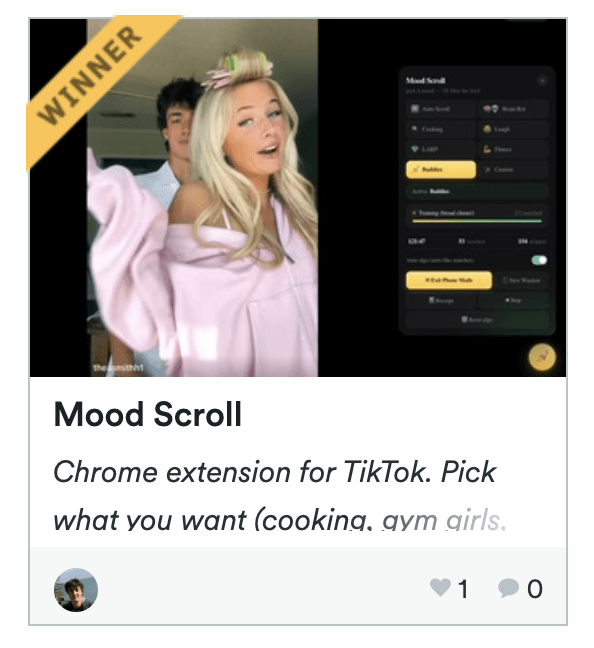
Live demo
See it curate a feed in real time
Pick a mood, then watch it classify, skip, and like — with the floating panel docked right on TikTok.
Real session · LARP mode · 🎯 turned ~80% in under 20 seconds
Eight moods
One tap changes what the feed is
Each mood is its own focused classifier — visual modes go straight to vision, the rest pre-filter for free before spending a token.
⏩
Auto Scroll
Hands-off. Watches everything, auto-likes, advances every 5s.
🧠vision
Brain Rot
AI slop, stacked edits, Skibidi, sigma montages.
🍳
Cooking
Real recipe demos and technique. Skips food reviews.
😂
Laugh
Genuine comedy — setups with punchlines. Skips cringe.
💎vision
LARP
Wealth flex — cars, watches, mansions, cash.
💪vision
Fitness
Gym physique content — lifts, pumps, transformations.
💅vision
Baddies
Aesthetic / glam — OOTD, that-girl, slow-mo walks.
✨
Custom
Type any niche — “vintage car restoration” — and it matches.
Under the hood
Cheap checks first. Vision only when it counts.
Every video runs a free funnel before anything hits the model — so you spend tokens on the calls that actually decide a match.
01free
Sponsored skip
Ads + #sponsored / #ad always skip
02~5ms
Negative pre-skip
Known-bad hashtags = instant skip
03~10ms
Keyword classifier
Confident non-matches skip locally
04~1–2s
AI vision
3 frames + caption decide the match
05instant
Double-tap like
Match → native like gesture → advance
Two tiers · one tap
Free on our key. Or bring your own.
For the first 100 users it’s fully managed: your browser sends a few frames to our secure proxy, which calls the model with our key — held only on our server, never shipped to you. After that it’s a one-time $10 and you paste your own OpenAI key, stored in chrome.storage.local and used to call OpenAI directly. Either way, cheap pre-filters mean most videos never reach the model.
Your browsersends frames
→
Managed proxy / your keyfree, or BYO
→
Verdictlike or skip
More than a filter
The details that make it stick
Two-phase training
Likes the broader content cluster first to push the algorithm toward your niche fast, then narrows to strict matches once you’re 🎯 locked in.
Double-tap-to-like
Matches get a native double-tap gesture — a stronger algorithm signal than the sidebar heart.
Phone Mode
One click resizes Chrome to a 440px strip and hides all of TikTok’s chrome. Code on the left, feed on the right.
Session receipt
Download a PNG of exactly what categories you actually watched this session.
Loop watchdog
Videos never silently replay — it auto-advances right before the loop point.
Reset algo
Clears training state and opens TikTok’s content preferences to refresh your feed.
Pricing
Free for the first 100.
No setup and no key while spots last — the AI is on us. After the first 100 users it’s a one-time $10 and you bring your own OpenAI key.
Available now
$0first 100 users
One-click install, open TikTok, pick a mood. There’s nothing to set up and no key to paste — it just works.
- ✓The full extension — all 8 moods + unlimited custom niches
- ✓Zero setup — no key, no account, no card
- ✓Managed AI included — we cover it server-side
- ✓Two-phase algo training + session receipts
- ✓Phone Mode, loop watchdog, reset-algo
Use it for free
No account · no card · 60-second install
After the first 100
$10one-time
Lifetime access to the extension. You bring your own OpenAI key and pay OpenAI directly for usage — typically pennies a day.
- ✓Everything in free — yours for life
- ✓Bring your own OpenAI key — it stays in your browser
- ✓No usage limits — you control spend with OpenAI directly
- ✓One-time payment, no subscription
- ✓Free updates
Secure checkout via Stripe · instant download
Questions
Good to know
Is it really free? Do I need a key?+
For the first 100 users, yes — completely free with zero setup and no key. The AI is fully managed on our side, so you just install the extension, open TikTok, and pick a mood. Nothing to paste, nothing to pay.
What happens after the first 100 users?+
It becomes a one-time $10 (no subscription) and you bring your own OpenAI key. Paste it into the extension once and you’re set for life. If the free pool is full when you install, the extension shows a friendly prompt with the $10 link.
Where does my key go — is it safe?+
On the paid tier your key lives only in your browser (chrome.storage.local) and calls OpenAI directly for each classification. It never touches our servers — we never see it, store it, or proxy it. On the free tier there’s no key at all on your side; ours is held securely server-side and never shipped to your browser.
Which browsers work?+
Any Chromium browser — Chrome, Brave, Arc, and Edge. Installs in about 60 seconds via Load Unpacked.
Will this get my TikTok banned?+
It drives the normal TikTok web UI — scrolling, watching, and liking like a fast user. No private APIs, no automation tokens. Use it at a sane pace.
How do I install it?+
Download and unzip, open chrome://extensions, turn on Developer mode, click Load unpacked, and select the chrome-mv3 folder. Then open tiktok.com/foryou, click the ✨ button, and pick a mood.